Is Framer the Right Platform for a Coaching Website?

Web Design

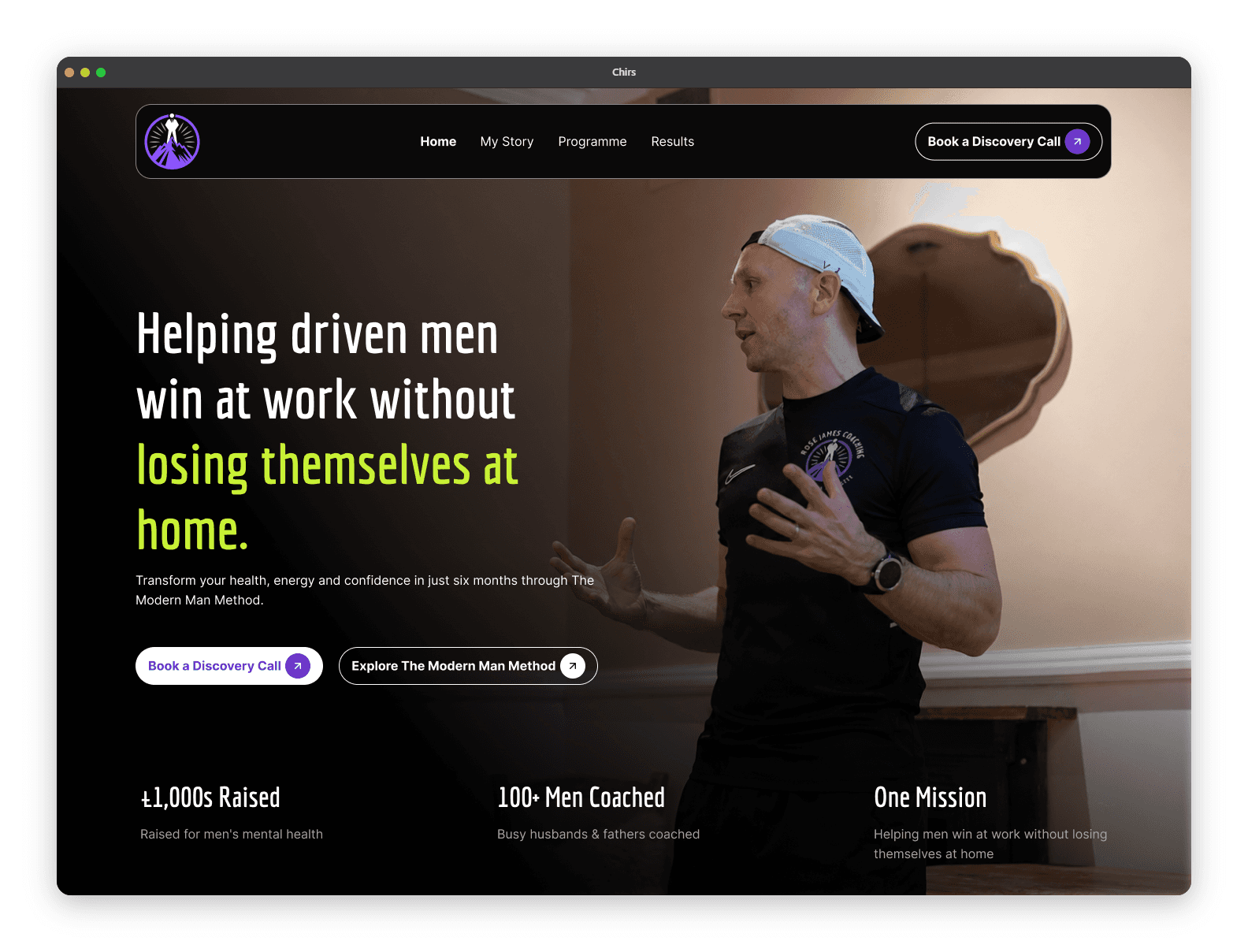
For most coaches, yes — Framer is one of the best platforms available in 2026 for a website whose only job is to book more calls. It gives you fast, clean, conversion-focused pages without the plugins, updates, and security upkeep that make WordPress a part-time job. The exception is if you're running a large course or membership empire with complex member logins, or you already sit on a huge library of ranking WordPress blog posts — in those cases the switch may cost you more than it gives you.
That's the short answer. Here's the part that actually matters: the platform is rarely the reason a coaching site fails to book calls. So before you agonise over Framer vs WordPress vs Squarespace, understand exactly what each one does — and doesn't — do for a coaching business.
What makes Framer a strong fit for a coaching website?
A coaching website has a narrow job. It has to make one thing unmistakably clear — who you help and what changes for them — and then move a warm visitor to a single action: booking a call or joining a waitlist. It doesn't need a shopping cart with 400 SKUs. It doesn't need a forum. It needs to load fast, look credible, and get out of the way of the decision.
Framer is built almost perfectly for that job, for a few reasons.
It's fully managed, so you never touch maintenance. Framer is a hosted platform — hosting, security, and updates are handled for you. There are no plugins to update, no PHP versions to worry about, no "your site is down because a plugin conflicted" emails at 11pm. For a coach who wants to coach, not administer software, that alone is decisive.
It's fast by default. Framer sites are served from a managed global CDN with clean, modern output, so they tend to load quickly without you optimising anything. Speed isn't a vanity metric — a slow site loses mobile visitors before your headline even renders, and most coaching traffic is mobile (Instagram bio-link taps, DMs, referrals). Fast defaults protect the conversions you already earned.
It's genuinely design-flexible. Unlike template-locked builders, Framer gives a designer a real canvas — which means your site can look like you, not like every other coach who bought the same $80 template. That distinctiveness is trust. A prospect who's about to hand you £2,000 is reading your site for signs you're the real thing; a generic template quietly undercuts that.
It handles everything a coaching site actually needs. A booking embed (Calendly, Cal.com), an email opt-in for your lead magnet, a testimonials section, a CMS for your blog. That covers the full conversion path for 90% of coaches. This is the same reason we build most coaching sites on Framer at Munexa — the platform disappears so the conversion architecture can do the work.
Where does Framer fall short for coaches?
No platform is free — and pretending Framer has no downsides would make this a sales pitch, not a guide. Three honest limitations:
You rent it, you don't own it. Framer runs on a subscription. If you stop paying, the site comes down. With self-hosted WordPress you own the files and can move them anywhere. For most coaches this is a non-issue — you're not archiving a media empire, you're running a lead engine — but if platform ownership matters to you philosophically, know the trade going in.
It's not built for heavy course or membership systems. If your business is a large gated academy — hundreds of lessons, member logins, drip content, community — a purpose-built platform like Kajabi, or WordPress with a membership stack, will serve that better. Framer is a superb front door (the marketing and booking site); it's not trying to be your entire course-delivery back end. Many coaches run exactly this split: a Framer site out front, a dedicated tool for course delivery.
Migrating a big existing blog has a cost. If you already have 150 WordPress posts ranking on Google, moving them to Framer means migration work and redirect mapping. That's doable, but it's a project. If SEO content is a pillar of your business, weigh it. (If you're building fresh, this doesn't apply — you're better off starting clean on Framer.)
Framer vs WordPress vs Squarespace: which should a coach pick?
Cutting through the noise:
Framer
wins for the specific job of a modern coaching site: distinctive design, fast, zero maintenance, and everything a booking-focused site needs. It's the best default for a coach in 2026 unless one of the WordPress-specific reasons above applies to you.
Speed: fast by default
Maintenance: zero (managed)
Design freedom: high (real canvas)
Best for: lean, booking-focused coaching sites
WordPress
powers roughly 43% of the web, and it's the most powerful, most extensible option. That power is also its tax: plugins, hosting, and security updates are ongoing, and outdated plugins are one of the most common ways WordPress sites get compromised. Right for content-heavy or complex sites. Overkill — and a maintenance burden — for a lean coaching site.
Speed: depends on host/plugins
Maintenance: ongoing (plugins, security)
Design freedom: high but complex
Best for: content-heavy or complex sites
Squarespace
is the middle ground: easier than WordPress, more template-locked than Framer. It's a fine "good enough" choice for a coach who just wants something live. The ceiling on distinctiveness and conversion design is lower, because you're steering inside a template rather than designing to your funnel.
Speed: good
Maintenance: low
Design freedom: template-locked
Best for: quick "good enough" sites
The honest meta-point: all three can book calls, and all three can sit there dead. The platform sets your ceiling for speed and design freedom. It does not write your headline, structure your offer, or handle the prospect's "is this worth it?" objection. That's platform-agnostic — it's about the message, not the tool.
How much does a Framer coaching website cost?
Two costs, kept separate. The platform itself: a free tier (which only publishes to a .framer.website subdomain — not viable for a real business address), then paid plans in the region of $10/month (Basic) to $30/month (Pro) on annual billing. Because published figures vary between sources, check Framer's live pricing page for the current numbers.
The build is the bigger variable. A freelancer typically runs $500–$5,000, and an agency $3,000–$10,000+, depending on scope. A pre-made template is the cheapest route (often free to ~$99) — but a template is a shell, and a coaching site lives or dies on the copy and conversion structure inside it, which a template can't write for you.
Does Framer help or hurt your SEO and getting found by AI?
Framer gives you clean, fast, well-structured output and control over titles, meta descriptions, and headings — the on-page fundamentals search engines and AI answer engines read. In other words, it doesn't hold your rankings back; it gives you a solid technical base to build on.
But the platform is the floor, not the ceiling. What actually gets a coach surfaced — in Google and in ChatGPT — is clear, specific content that answers the exact questions prospects ask, plus consistent positioning across the web. That's a content-and-clarity job, not a platform feature.
So — is Framer right for you?
If you're a coach who wants a fast, distinctive, low-maintenance site that's built to book calls, and you're not running a large gated course platform: Framer is very likely your best option in 2026. It removes the busywork and gives a designer the freedom to build around your funnel instead of a template's.
Just don't mistake the platform choice for the hard part. The platform is a week's decision. Turning visitors into booked calls is the work — and it's the same work on any platform. Pick the tool that gets out of the way, then put your energy where the money is: the message, the structure, and the offer.
Want a straight read on whether your current site (Framer or not) is actually built to convert? Grab a free site audit — we'll tell you exactly where it's leaking calls, no pitch required. Or see how we've done it for coaches like Rose James Coaching and Discipline Fitness Coach in our work.
FAQ
Is Framer good for a coaching website?
Yes. For most coaches, Framer is one of the best 2026 options — it delivers fast, distinctive, conversion-focused pages with no plugin or security maintenance, and it supports everything a booking-focused coaching site needs (call embeds, email opt-ins, testimonials, a blog). The main exceptions are coaches running large course/membership platforms or migrating a big existing WordPress blog.
Is Framer or WordPress better for coaches?
For a lean coaching site focused on booking calls, Framer is usually better: it's faster to launch, more design-flexible, and maintenance-free. WordPress is more powerful for content-heavy or complex sites, but that power comes with ongoing plugins, hosting, and security upkeep most solo coaches don't want to manage.
How much does a Framer coaching website cost?
The Framer platform runs from a free tier (subdomain only) to roughly $10–$30/month on paid plans (annual billing) — confirm current pricing on Framer's site. A custom build typically costs $500–$5,000 with a freelancer or $3,000–$10,000+ with an agency, depending on scope.
Can I sell coaching programs or courses on a Framer site?
You can sell and take bookings and payments for coaching packages, and embed checkout and scheduling tools. For a large gated course or membership (many lessons, member logins, drip content), pair Framer as your marketing/booking front end with a dedicated course platform for delivery.
Is a Framer website good for SEO?
Yes — Framer produces fast, clean, well-structured pages and lets you control titles, meta descriptions, and headings, which covers the technical SEO fundamentals. Rankings still depend on your content and positioning, not the platform alone.
Do I need to know how to code to use Framer?
No. Framer is a no-code visual platform. That said, a coaching site that actually books calls depends on conversion strategy and copy, not just assembling sections — which is why most coaches get a stronger return hiring a designer than DIY-ing a template.

Muneeb Bhatti


